
McDuffie County VINELink Coverage
Georgia brought VINE to every county in 2024. The Criminal Justice Coordinating Council announced the statewide rollout that year. Appriss runs VINE and VINELink. The company sends custody notices by web, phone, and mobile app. The purpose is narrow. It follows one custody record. It notifies a registered person when the participating agency reports a covered change. It is not the McDuffie County arrest roster. It is not a court docket or a booking photo archive.
The sheriff's office publishes no statement confirming that every jail booking feeds VINE. No county VINE field appears in its public material either. That silence does not mean McDuffie is left out. It means a blank result needs confirmation. Integration scope matters. So does the type of custody event, and the data a participating agency supplies can shape what shows up. Call the McDuffie County Sheriff's Office at 706-595-2040 to ask. The Georgia Sheriffs' Association lists a jail line at 706-597-3863 as well. Staff can tell you whether the facility and the event you care about are covered.
The Georgia CJCC announcement sets up the statewide program, but county participation still takes a local check.
Check McDuffie County VINELink
Begin at the official VINELink application. Skip name-search sites that promise mugshots. A full name is the usual starting point. An offender or case identifier, when known, cuts down mistaken matches. Select Georgia before you search, since VINELink sorts records by state and provider. The app relies on JavaScript. Saved links may bounce you to a main screen while it loads.
- Open the official Georgia VINELink state page.
- Choose the person search and confirm Georgia remains selected.
- Enter the full name or available identifier without adding guesses.
- Compare every returned match by facility, identifier, and other displayed details.
- Open the matching record and note the displayed status and update context.
- Confirm the result with the McDuffie jail when timing or identity is uncertain.
A shared name creates confusion fast. Never force a match from age, spelling, or a familiar city alone. The county's official booking interface adds detail. It lists arrest date, arresting agency, status, bond, and charge fields. Those fields separate one record from another. Save VINELink for custody tracking after that. The broader McDuffie County recent-arrest lookup walks through the roster and other records channels. The official Georgia state screen is the right entry point.
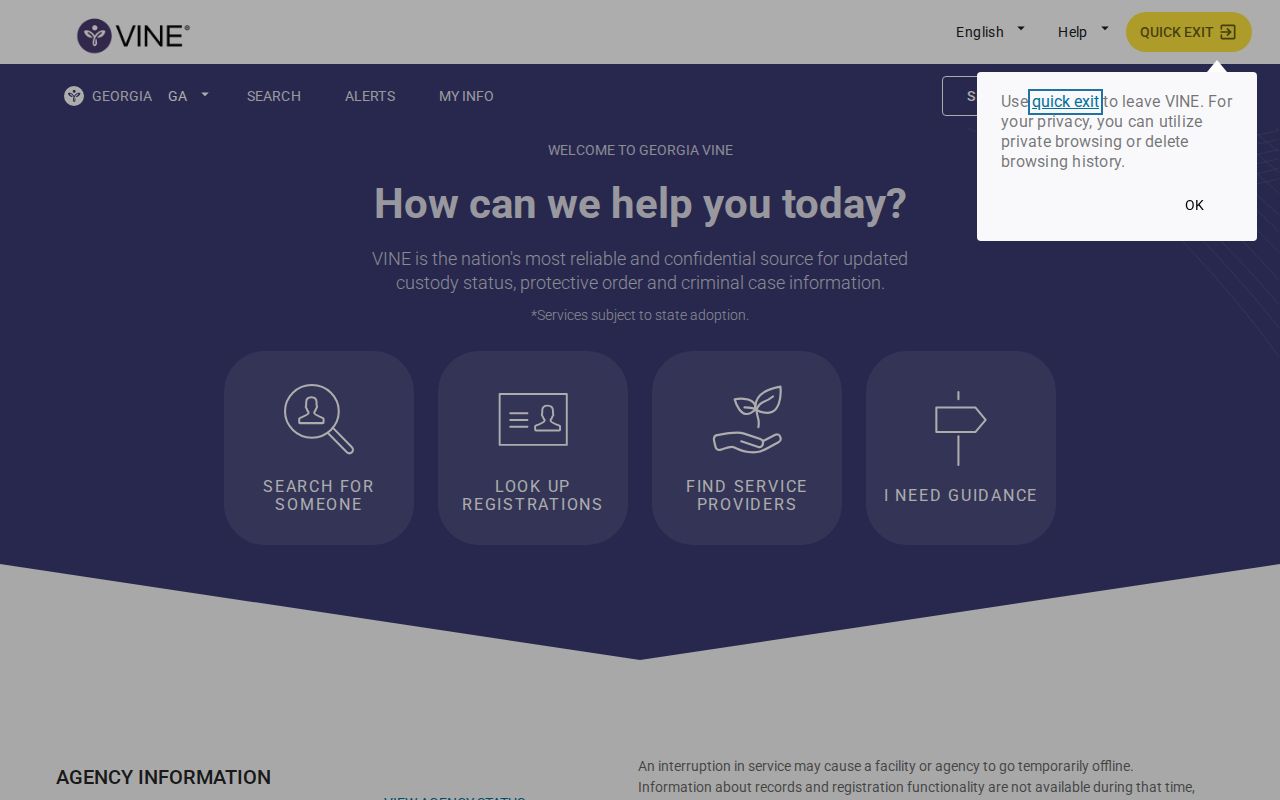
That screen keeps a search inside Georgia instead of mixing local, federal, or out-of-state custody systems.
McDuffie County VINELink Results
A VINELink result is a custody-notification record, nothing more. What it displays depends on the agency supplying the data and the record type. Read the fields as operational status. A release or transfer notice reports one custody event. It will not explain why a case ended, whether charges changed, or how a court ruled.
| Possible field | How to read it |
|---|---|
| Name | Use with other identifiers because names can match more than one person. |
| Custody status | A participating agency’s current reported status, which may lag a new event. |
| Facility or provider | The agency or location associated with the reported custody record. |
| Offender or case identifier | A stronger match tool than a name alone when the field is available. |
| Custody event | A release, transfer, or other reported change that may support an alert. |
| Registration option | The route for adding a phone, text, email, or TTY notification. |
Booking charges call for separate care. VINELink does not carry the final outcome of a case. Charges listed at arrest can shift later. A current court record or a clerk's response is the right source for the result.
Register McDuffie County VINELink Alerts
Registration starts from the matching custody record. There is no general list of people to browse. Georgia's official service-provider flyer lets users pick phone, email, text, or TTY notices. Support sits at 1-866-277-7477 at all hours. The service is free and anonymous for victims, though the interface can change, so trust the current prompts and the flyer.
- Verify the person’s record and facility before selecting registration.
- Choose a notice method offered for that record.
- Enter a phone, text, email, or TTY destination privately.
- Create the requested four-digit PIN for telephone access when prompted.
- Complete any confirmation step shown by the service.
- Save the support number and keep contact details current.
Never put a victim's contact details, PIN, or registration confirmation in a public record request. That is private notification information. If calls or texts stop, go back to VINELink or contact program support. Registration can spare you repeated manual checks. It should not be the whole safety plan. A release or transfer can carry urgent stakes. The blank VINELink registration screen shows where notification choices are entered.
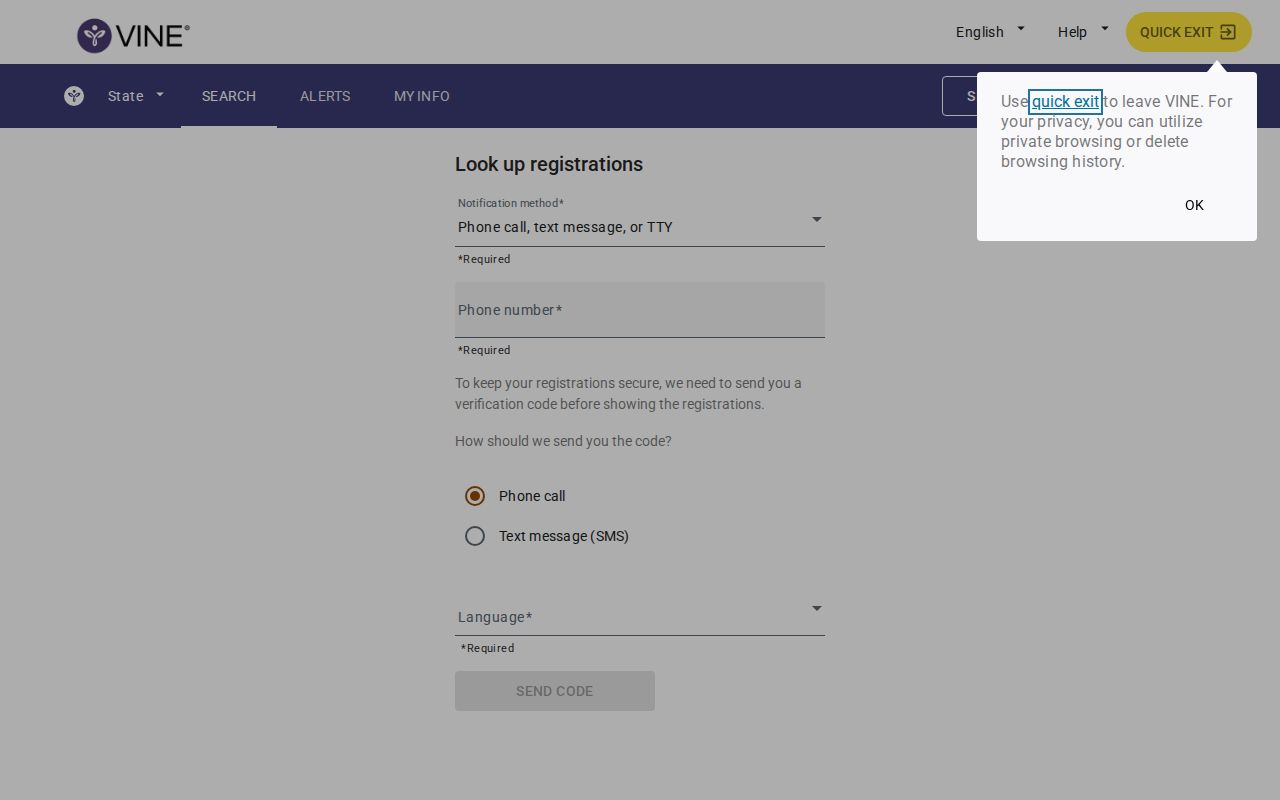
The registration route follows a verified person record and must never carry another user's contact information.
Fresh McDuffie Arrests May Lag
Timing differs between systems. A person can be arrested, booked at the jail, and placed on the county roster before any notification system receives the record. The Interopweb roster is the direct McDuffie public interface. It offers a current-inmate view, a last-24-hours view, and an arrest-date search. VINELink depends on a participating provider's data flow, so its timing may not match.
For a fresh arrest, start with the county's 24 Hour Arrests view. Then check the official current roster. Still no clear match? Call the jail or the Sheriff. Ask whether the person is in custody, whether McDuffie participates in VINE for that record type, what identifier is needed, and which changes get reported. One blank screen never rules out an arrest. The Sheriff's official site controls current local contact information.
McDuffie County VINELink Limits
VINELink answers one question: is this person in custody somewhere? A McDuffie booking record still tells you more. The county roster can list the arresting agency, arrest date, bond, status, and a charge table. A Sheriff records request can chase a single booking file, and the court clerk handles disposition later. Each tool covers its own ground.
Federal custody sits outside this county search. The BOP locator tracks federal inmates, and a separate DHS VINE service covers immigration holds. Neither works as a catch-all McDuffie arrest search. Someone can be released, moved to the Georgia Department of Corrections, held by another authority, or sitting locally with no VINELink match. Match the system to the actual custody level.
The official Georgia person-search screen displays the fields a careful match starts from.
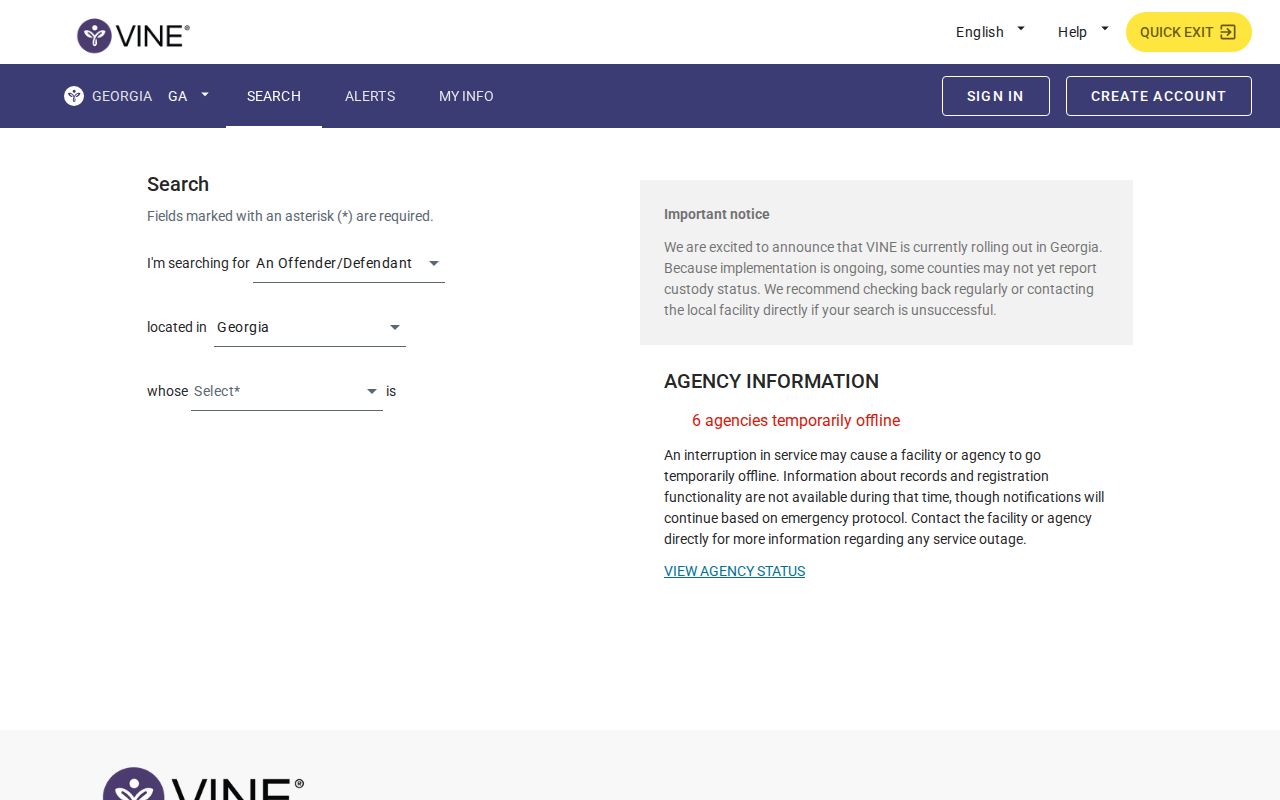
The Georgia VINE form searches a person, not a photo gallery. Any hit still needs identity and facility confirmation.
Release is where the systems drift apart. A McDuffie roster card can change or drop from the current view. An alert may lag while the provider processes the event. Note the time and exact wording of any notice. Then call the facility if pickup, transportation, safety, or legal timing rides on it. One automated message is not a full release order. It also proves nothing about other holds.
Transfers shift the responsible source too. Movement to a Georgia state facility points you to the Department of Corrections search. Federal custody needs the federal system. Come back to the McDuffie jail for a local record. It can also confirm the sending facility. That source-by-custody habit keeps VINELink from being mistaken for one national roster.
McDuffie County VINELink Support
Participation can be murky, so ask narrow questions. Confirm the facility name, and ask whether its records feed Georgia VINE. Which identifier is accepted? Ask which release or transfer events create a notice. Ask also whether victim eligibility limits the program. These questions clear up a missing result without pushing staff to reveal private victim registration data.
The Sheriff's public site lists no booking app and no steady social-media schedule. Facebook cannot stand in for the county roster, VINELink, or a phone confirmation. Take app problems to official support. Take a McDuffie custody fact to the jail. That split keeps tech help apart from record checks.
Log the source, date, time, and status of every check. If a later status differs, compare the entries rather than assuming the first screen was wrong. Custody changes. A transfer, release, correction, or slow data exchange can explain a valid shift between two checks.
Privacy counts too. Search only for the person whose custody you need. VINE alerts can carry sensitive safety information, so keep the confirmation and PIN where others cannot reach them. Use official support to change a phone number or email destination.
Public Record Search
Sponsored Results